






Key takeaways
ChatGPT, Claude, and other AI subscriptions are deductible business expenses for self-employed filers under IRC Section 162.
Report them on Schedule C, most commonly on Line 27a (Other Expenses) labeled "Software Subscriptions" or on Line 18 (Office Expense).
If you also use the tool personally, only the business portion is deductible.
API usage with OpenAI or Anthropic is deductible the same way a subscription is.
AI tools have moved from novelty to a daily workflow for most freelancers and businesses, and the spend adds up fast. A ChatGPT Plus seat, a Claude Pro plan, a bit of API usage on the side, and suddenly you're a few hundred dollars in. The good news for self-employed filers: that's all tax deductible business software, the same as your other subscriptions. This guide walks through who qualifies, where to report it on Schedule C, how to handle mixed personal use, and the documentation you need if the IRS ever asks.
If you're self-employed and pay for ChatGPT, Claude, or any other AI tool that helps you do your work, yes, you can deduct it. AI subscriptions count as ordinary and necessary business software, which puts them in the same category as your email hosting or design tool subscriptions. The IRS doesn't have a separate rulebook for AI yet, so these get treated like any other software expense.
One catch: you can only deduct the portion you actually use for business. If you also use ChatGPT to plan your kid's birthday party, that part stays personal and can't be deducted on your taxes! More on how to handle that later.
Why ChatGPT and Claude are deductible
The IRS says you can deduct expenses that are "ordinary and necessary" for your trade or business.
Ordinary means common and accepted in your line of work.
Necessary means helpful and appropriate. It doesn't have to be indispensable.
Nowadays, paying for an AI assistant is no longer some exotic edge case. Freelance writers use Claude to draft and edit content. Content creators use it to ideate and draft scripts. And the list goes on and on. If you can articulate how the tool helps you make money, it clears the "ordinary and necessary" bar.
The cost of the subscription falls under the same broad umbrella as Adobe Creative Cloud, QuickBooks Online, Notion, Slack, or any other software-as-a-service tool.
Can I claim the cost of ChatGPT and Claude on my taxes?
This deduction belongs to self-employed people. That includes:
1099 contractors
Sole proprietors filing Schedule C
Single-member LLCs taxed as sole proprietorships
Owners of S-Corps and partnerships
W-2 employees, unfortunately, are out of luck. Even if your boss expects you to use ChatGPT for work and won't reimburse you, you can't write it off on your personal return.
Where to report it on Schedule C
Schedule C is the form sole proprietors use to report business income and expenses. There are a few defensible places an AI subscription can go, and the IRS isn't picky as long as you pick a spot and stay consistent.
The most common options:
Line 18, Office Expense. A reasonable home for general-purpose software subscriptions.
Line 22, Supplies. Less ideal for ongoing subscriptions, but you'll see it used.
Line 27a, Other Expenses. This is where many CPAs prefer to list it, with a clear label like "Software Subscriptions" or "AI Tools." Schedule C lets you write in your own categories on this line.
If you use TurboTax, TaxAct, or Keeper, the software will ask you to categorize the expense, and any of the above works. The point is to stay consistent. If you put it on Line 18 this year, put it on Line 18 next year too.
For S-Corp and partnership owners, the same logic applies on Form 1120-S or Form 1065 under software or office expenses.
Over 1M Americans trust Keeper for their complex taxes
The #1 tax app for freelancers, gig workers, and self-employed filers.
Get started free

How to handle mixed business and personal use
This is the part most people get wrong, and it's the easiest place for the IRS to push back on a deduction.
If you use ChatGPT or Claude for both work and personal tasks, you can only deduct the business portion. You don't need a perfect time log, but you do need a reasonable estimate and a way to back it up.
A workable approach:
Skim through your chat history for a typical week.
Count how many conversations were business versus personal.
Apply that ratio to your annual subscription cost.
If 8 out of 10 of your recent chats are work-related, claim 80%. Keep a short note in your records explaining how you got the number.
What about the API and paid credits?
Pay-as-you-go API usage with OpenAI or Anthropic is just as deductible as a monthly subscription. Save the receipts the platform emails you. Many small businesses now run on a mix of seat-based subscriptions and metered API costs, and both flow into the same software expense category.
Are you forgetting these other tax write-offs?
Once you start claiming AI tools, it's worth looking around for other tech that supports the same workflow. A few that often get missed:
The laptop or desktop you run these tools on, deductible through Section 179 expensing or depreciation.
Home internet, business portion only.
A second monitor or webcam used for client work.
Other software that pairs with AI work, like Grammarly, Notion, or Otter.ai.
Online courses or books on AI workflows you use in your business. These count as continuing education.
Each has its own rules, but they live in the same neighborhood of your Schedule C.
What you need to keep
Audits on small Schedule C filers are rare, but that doesn't mean they don't happen. It's best to make sure your records are up to date.
Hold onto:
Monthly receipts or annual invoices from OpenAI, Anthropic, or whichever provider you use.
A short note in your records describing the business purpose. One line per tool is fine.
Your business-use estimate and the rough method you used to land on it.
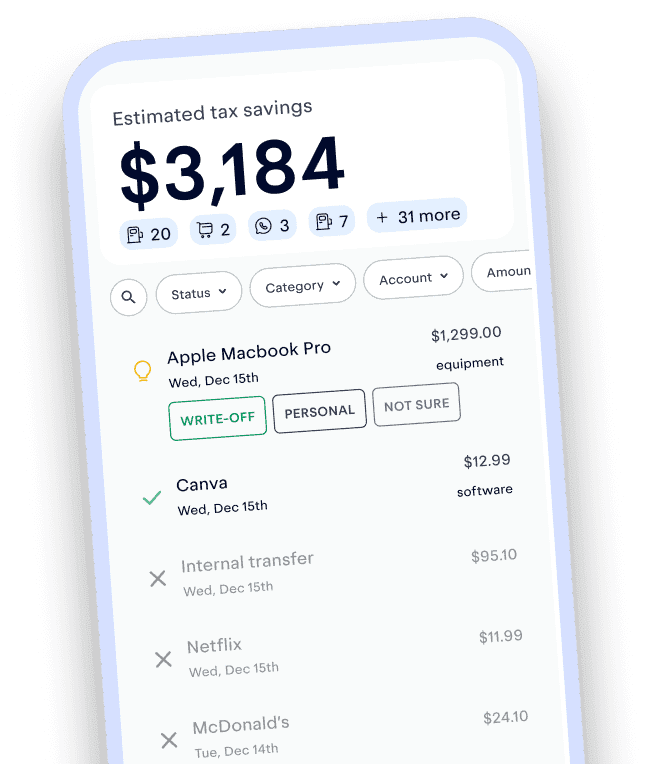
The Keeper app handles all of this for you automatically by syncing to your linked bank cards. When a transaction posts to your account, we'll flag it as a tax deduction, so you can claim it on your taxes when you file.
Track and claim every eligible deduction with Keeper
Keeper scans your accounts for write-offs and files your return — with tax pros reviewing every one.
Try it freeCommon mistakes to avoid
To make sure you avoid an audit, make sure to avoid the following mistakes:
Deducting 100% of a mixed-use account.
Claiming business expenses with no self-employment income. W-2 employees can't deduct business expenses!
Losing receipts, not proactively maintaining documentation, and trying to reconstruct the year from credit card statements alone.
Putting the expense under the wrong line one year and moving it the next.
Frequently asked questions
Can W-2 employees deduct ChatGPT?
Nope. You can only deduct business expenses against self-employment income. Ask your employer to reimburse you or pay for the subscription directly.
Where do I deduct ChatGPT on Schedule C?
Line 27a (Other Expenses) labeled "Software Subscriptions" is the cleanest option. Line 18 (Office Expense) also works. Pick one and stay consistent year to year.
Do I need receipts?
You don't necessarily need a physical receipt. You can save the monthly invoice emails from OpenAI, Anthropic, or your provider, and upload or take a screenshot of your receipt and add it to the Keeper app. Alternatively, you can link your bank cards to Keeper and we'll automatically scan your transactions for the deduction.
What if I use ChatGPT for both business and personal life?
You can only deduct the business portion. Estimate the percentage based on your actual usage and apply it to the annual cost.
Are OpenAI and Anthropic API costs deductible?
Yes, the same way a subscription is. Save the platform receipts.
Can I deduct the cost retroactively if I forgot to claim it last year?
You can amend a prior-year return using Form 1040-X within three years of the original filing date. Keeper can help you file an amendment.
What if my AI subscription costs more than my self-employment income this year?
You can still deduct the full amount. It may contribute to a business loss, which has its own rules around how much can offset other income. If your business runs at a loss for multiple years in a row, talk to a tax pro about hobby-loss rules.

Keeper Office Hours
Got a tax question, a confusing expense, or something you're stuck on in Keeper? Join a live, open Q&A with a Keeper expert. Submit your question ahead of time or ask it during the session. No presentation. No lecture. Just answers.

Krislyn is Chief Growth Officer at Keeper. At Keeper, she strives to make expert-level tax strategies that used to require a traditional CPA accessible to all. Prior to Keeper, she was at Curology, where she helped bring custom, prescription-grade skincare out of the dermatologist's office to millions of faces.
View full bio
a tax professional
This content has been reviewed by an Enrolled Agent (EA) with the IRS — the highest credential awarded by the agency. Enrolled Agents are empowered to represent all taxpayers before the IRS, on all types of tax-related matters. Accountants who earn this certification have passed a comprehensive three-part exam on individual and business tax returns. To maintain EA status, they must stay up to date in the field by completing 72 hours of continuing education every three years.
View full bioKeeper’s tax guides are built on primary sources: the tax code, IRS forms, instructions and publications, and state tax agency guidance. We link to external sources where appropriate and check figures against the tax year they apply to. This article was peer reviewed by a licensed tax professional (CPA or EA).
This article is for informational purposes only and isn’t tax, legal, or financial advice. Tax rules change and depend on your situation, so talk to a tax professional about yours.