




Key takeaways
Paid AI tools can be write-offs when they help you run a real, profit-motivated creator business.
The 10 tools below cover research, scripting, planning, editing, clipping, faceless video, avatars, localization, AI music, voice cloning, and image creation.
Use a tool for work and fun? Deduct only the business-use share of what you paid.
Keep a record of each expense’s date, amount, and vendor. Keeper can do this for you!
Can content creators deduct AI tools?
The IRS instructions for Schedule C specifically allow technology and software tools that are ordinary, necessary, and directly related to operating your business.
For creators, that gives us two catches:
You need a business. A monetized channel, affiliate operation, or client-facing creator business qualifies. Posting the occasional video with no real profit motive may be a hobby rather than a business.
You need business use. Turning a paid podcast into Shorts is business use. Making a dramatic AI trailer for your group vacation is not — even if your friends say it deserves an Oscar.
You do not need an LLC, and a new creator business does not have to be profitable right away. For the broader rules, see Keeper’s guides to content creator taxes and software deductions. Here, we’ll dive deeper into the AI production stack.

10 AI tools you can write off
Brainstorming and scripting
1. ChatGPT can research topics, outline scripts, generate images, and help plan creator content. If you use ChatGPT to do research for your business, it counts as a write-off.
2. Gemini can generate or edit images, analyze YouTube videos, and record transcripts. If you use a paid Gemini plan to create and edit business content, it counts as a write-off.
Planning and organization
3. Notion AI can organize content calendars, draft and revise copy, summarize research, and search a creator’s workspace. If you use Notion AI to manage your business, it counts as a write-off.
Editing and clipping
4. CapCut combines AI video generation with captions, avatars, voice tools, templates, and timeline editing. If you use CapCut Pro to edit TikTok Shop product reviews, it counts as a write-off.
5. Descript edits video through a transcript and adds AI clips, captions, audio cleanup, avatars, and voice cloning. If you use Descript to edit business or client videos, it counts as a write-off.
Visual creation and design
6. Canva uses AI to create videos, images, graphics, and other design assets. If you use Canva Pro to design graphics for monetized YouTube videos, it counts as a write-off.
7. Adobe Express with Firefly uses generative AI to create and edit images, video, audio, and designs. If you use an Adobe plan to make branded assets or sponsored content, it counts as a write-off.
Music, voice, and avatars
8. Suno generates original songs and background music from text prompts. If you use Suno to create music for monetized videos, it counts as a write-off.
9. ElevenLabs creates AI narration, dubbing, and voice clones. If you use ElevenLabs to narrate monetized videos, it counts as a write-off. Narration for personal videos does not.
10. HeyGen creates avatar videos, voice clones, captions, and translated versions without a traditional shoot. If you use HeyGen for monetized faceless videos, it counts as a write-off — even before a platform approves your channel for monetization.
Which AI charges are actually deductible?
The cleanest way to answer this is to sort each charge into one of three buckets:
100% business: You use the plan only for paid projects, monetized channels, or business promotion. The full amount can generally be a write-off.
Mixed business and personal: You use the same plan for client videos and personal projects. Deduct only the business-use percentage.
Not your expense: The plan is free, a client pays it directly, or you receive a full reimbursement. No out-of-pocket cost means no deduction.
The mixed-use math
Amount paid × business-use percentage = potential deduction
Say you pay $50 per month for a video tool from March through December. You use it 80% for sponsored clips and 20% for personal posts. Your potential deduction is $400: $50 × 10 months × 80%.
Software expense or advertising expense?
Most recurring AI subscriptions and generation credits can go in Part V of Schedule C under “Other Expenses.” If a tool is used specifically to create or run ads for your business, advertising may also be a reasonable category. You can pick either one, but be consistent.
Keep a record of your transaction
The IRS recordkeeping guide recommends keeping records that support the amount, date, and vendor of each expense.
Save the invoice: Keep the vendor, date, plan, credits, taxes, and amount.
Match the payment: Save the card or bank statement, especially if the billing name looks nothing like the product name.
Show your math: Write down how you calculated mixed business and personal use.
Subtract money back: Track refunds, promotional credits, and client reimbursements.
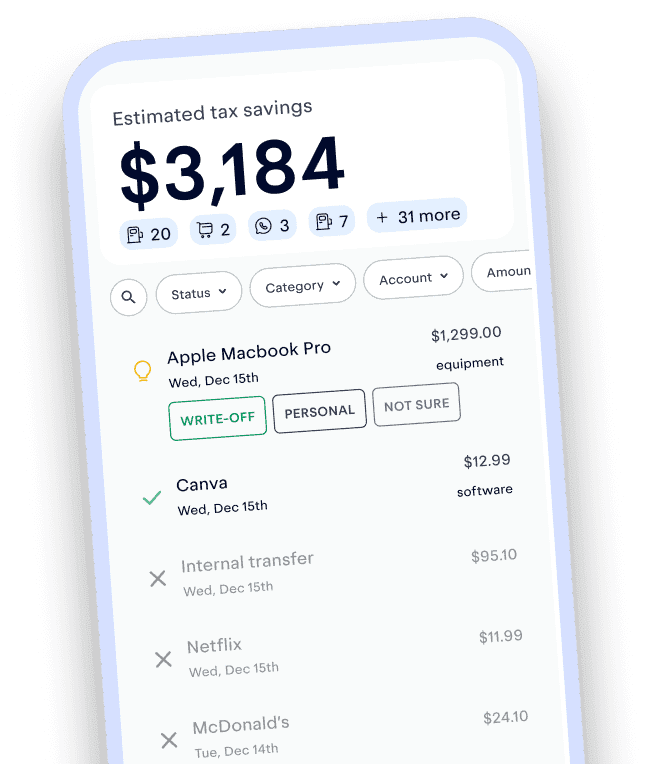
If you don't want to do all this yourself, download Keeper! Connect your bank, and we'll keep track of your transactions and help you keep your creator business organized.
Track and claim every eligible deduction with Keeper
Keeper scans your accounts for write-offs and files your return — with tax pros reviewing every one.
Try it freeFAQs about AI write-offs for creators
Generally, yes. If you are self-employed and use a paid AI tool for your creator business, you can deduct the business-use portion. The software deduction guide explains the ordinary-and-necessary standard.
Most recurring AI subscriptions and generation credits can go in Part V of Schedule C under “Other Expenses.” If a tool is used specifically to create or run ads for your business, advertising may also be a reasonable category. You can pick one, but be consistent.
Yes, if you are running the channel with a real profit motive. You do not need YouTube Partner Program approval first. Costs paid before the business begins operating may be startup costs instead of current expenses.
Yes. A faceless channel follows the same tax rules as any other creator business. If you run it to make a profit, the business-use portion of your AI software can be deductible.
Deduct only the business portion. Use a reasonable method, such as projects, exports, credits, or generation history. If 80% of your usage was for business content, you can deduct 80% of the cost. Keep a note showing your math.
Yes. AI credits and API fees count as write-offs when you use them for your creator business. Free credits and client-reimbursed costs do not.

Matthew King is the co-founder and CTO of Keeper, where he leads the engineering team. We use AI to bring high-quality accounting and tax advice to everyone. Before Keeper, Matt was an engineering manager at Second Measure, helping investors to understand consumer purchase patterns. He was also an engineering manager at Clari, where he built tools to help sales managers forecast deal flow, based on data inside their private Salesforce silos.
View full bio
Sabrina is a Certified Public Accountant (CPA) with over 15 years of experience in tax preparation, planning, and S-Corp compliance. She holds a Master’s in Accounting and specializes in helping self-employed individuals make smart tax decisions. Sabrina is passionate about simplifying the S-Corp process and making sure every client keeps more of what they earn.
View full bio9 sources
- Instructions for Schedule C (Form 1040) (2025) · irs.gov
- Analyze YouTube videos · reddit.com
- Meet your AI team · notion.com
- AI Video Editor: Effortless Video Creation · capcut.com
- AI Video Maker · descript.com
- Canva · canva.com
- Adobe Express with Firefly · adobe.com
- AI Voice Cloning: Clone Your Voice in Minutes · elevenlabs.io
- Publication 583 (12/2024), Starting a Business and Keeping Records · irs.gov
Keeper’s tax guides are built on primary sources: the tax code, IRS forms, instructions and publications, and state tax agency guidance. We link to external sources where appropriate and check figures against the tax year they apply to. This article was peer reviewed by a licensed tax professional (CPA or EA).
This article is for informational purposes only and isn’t tax, legal, or financial advice. Tax rules change and depend on your situation, so talk to a tax professional about yours.