



Key takeaways
To sell digital products, pick one specific product for one specific audience, check that people want it, make a simple first version, price it, and list it where your buyers already are.
Where you sell matters because every platform takes a fee from each sale, anywhere from about 3% to 30%. On a $100 sale, you'd keep about $97 on Stan or Kajabi (before their monthly plan cost), about $90 on Etsy, about $86 on Gumroad, and $70 when a buyer finds you through Gumroad Discover.
Platforms with a monthly fee only pay off once you're selling regularly. Kajabi's $179 Basic plan beats Gumroad's per-sale fees once you're selling about $1,700 a month.
Some platforms, like Gumroad, Lemon Squeezy, and Etsy, collect sales tax for you. On others, like Stan and Kajabi, sales tax is your job.
Digital product sales are self-employment income. Set aside about 25% to 30% of your profit for taxes, and track your expenses so you can write them off. Keeper can track your sales and find those write-offs for you automatically.
Selling digital products, like templates, printables, patterns, presets, ebooks, or courses, is one of the most popular side hustles of the last few years. There's no inventory to store or ship, and you can sell the same file over and over.
But the guides that rank for this topic are mostly written by the platforms themselves, and they skip some of the details that really impact how much you actually take home: fees, sales tax, and income tax. This guide walks through the steps to start, then compares what you actually keep on each major platform as of October 2026.
Can you really make money selling digital products?
Yes, but set realistic expectations. In Stan's 2026 creator survey, only 14% of creators said they earned money from digital products or merch, compared with 29% from ads and brand deals (Contrary Research). Platforms advertise big cumulative totals, like Kajabi creators earning more than $11 billion as of January 2026 (Spectrum Equity). But those totals are spread across many creators, and a small share earns most of it.
The creators who do well usually have three things in common:
They sell to an audience they already have or are actively building, rather than hoping a marketplace sends them buyers.
They solve a specific problem for a specific person.
They keep making things. A catalog of related products and bundles outsells a single product.
How to sell digital products, step by step
Step 1: Pick one product for one audience
Start with something you already know well, and someone you already understand. "Budget templates" is crowded. "A budget template for freelancers with irregular income" has a clear buyer.
Need ideas? See our ranking of the best digital products to sell in 2026, based on what US buyers search for.
Step 2: Check that people want it
Before you spend weeks building, look for evidence of demand:
Search the marketplaces. Look on Etsy, Gumroad Discover, or the Notion Marketplace for similar products. Reviews and "bestseller" tags mean people are buying.
Check search interest. Free tools like Google Trends show whether interest in a product type is growing or fading.
Ask your audience. Post the idea, run a poll, or offer a pre-sale at a discount. A handful of paid pre-orders is stronger proof than likes.
Step 3: Make a simple first version
Your first product should take days, not months. You can add to it once people buy.
Tool | What it's for | Cost |
|---|---|---|
Canva | Templates, printables, ebooks, planners, social graphics | Free plan; Pro is a paid upgrade |
Google Sheets or Excel | Budget, business, and planning templates | Free (Google Sheets) |
Notion | Workspace templates | Free plan |
Procreate (iPad) | Brushes, illustrations, stickers | One-time App Store purchase |
Descript or CapCut | Recording and editing course videos | Free plans; CapCut Pro roughly doubled in price to $19.99 a month in early 2026 (Newsweek) |
Loom | Quick screen recordings and walkthroughs | Free plan |
Once you start earning income, you can write off these tools as a business expense. See our list of AI tools creators can write off.

Step 4: Price it
There's no universal right price, but here are some useful reference points:
The average sale on Stan across digital products, courses, and memberships was about $67 in 2025, according to the company (Contrary Research).
Bundles help. Kajabi's 2025 creator survey found creators who sold bundles earned 4.5 times as much as those selling a single product. It's a self-reported survey by a company that sells to creators, but the logic holds: a bundle raises the average order without new buyers.
Fixed fees hurt cheap products. A 50-cent fee is 2% of a $25 product but 17% of a $3 one. If you sell low-priced printables, choose a platform with little or no fixed fee per sale, or bundle them.
Step 5: Choose where to sell
Do your homework to compare platforms. Platform fees can eat away at your sales. See the platform comparison below.
Step 6: Get it in front of buyers
Short-form video and social posts that show the product in use are how most storefront sellers get traffic.
An email list lets you sell to the same people again. Kit is free up to 10,000 subscribers (Kit), and beehiiv is free up to 2,500 (beehiiv).
Paid ads on Meta, TikTok, or Pinterest can speed things up once you know a product sells. Start with a small daily budget and track which ads lead to sales. Ad spend is a business expense, so see our guide to writing off advertising costs.
Marketplaces like Etsy, Gumroad Discover, and the Notion Marketplace can send buyers who've never heard of you, in exchange for a bigger cut.
Search works best for patterns, templates, and printables, where buyers search for exactly what they want.
Step 7: Set up your taxes from day one
Keep a running record of every sale and every business expense, and set aside part of each payout for taxes. More on that below.
This is where Keeper can help. Connect your bank and card accounts, and Keeper:
tracks payouts from every platform in one place, so you know your real income even if no one sends you a 1099
finds write-offs like platform fees, software, and ad spend automatically
estimates your quarterly taxes and files your return with every deduction included
That way, tax season isn't a scramble through a year of statements.
Over 1M Americans trust Keeper for their complex taxes
The #1 tax app for freelancers, gig workers, and self-employed filers.
Get started free

Best platforms to sell digital products, compared
Platforms fall into three groups:
Marketplaces bring buyers but take a bigger cut.
Storefronts charge low fees, but you bring the traffic.
Course and community platforms charge a monthly fee for more features.
What you keep on a $100 sale
Platform | Monthly cost | Fees per sale | You keep on a $100 sale | Handles US sales tax? |
|---|---|---|---|---|
Stan Store | $29 (Creator) | 0% Stan fee + Stripe 2.9% + 30¢ | $96.80 | No |
Kajabi (Basic) | $179 ($143 billed yearly) | 2.9% + 30¢ (Kajabi Payments) | $96.80 | Collects, but you file |
Skool (Pro) | $99 | 2.9% + 30¢ (3.9% + 30¢ above $900) | $96.80 | Yes |
Lemon Squeezy | $0 | 5% + 50¢ | $94.50 | Yes (merchant of record) |
Payhip (Free) | $0 | 5% + Stripe 2.9% + 30¢ | $91.80 | Yes, since July 2026 |
Podia (Mover) | $42 (billed yearly) | 5% + 2.9% + 30¢ | $91.80 | No |
Notion Marketplace | $0 | 8% + 40¢ | $91.60 | Yes (merchant of record) |
Etsy | $0 ($0.20 per listing) | 6.5% + 3% + 25¢ | $90.05 | Yes |
Skool (Hobby) | $9 | 10% + 30¢ | $89.70 | Yes |
Teachable (Starter) | $39 | 7.5% + 2.9% + 30¢ | $89.30 | Yes, with Teachable Payments |
Gumroad (direct) | $0 | 10% + 50¢ + 2.9% + 30¢ | $86.30 | Yes (merchant of record) |
Gumroad (Discover) | $0 | 30% | $70.00 | Yes (merchant of record) |
Fees from each platform's pricing or help pages on October 8, 2026, for US card sales. What you keep on a sale is before monthly plan costs, refunds, international card fees, and payout fees, and after any one-time listing fee.
When does a monthly plan pay off?
A platform with a monthly fee and low per-sale fees only beats a free platform once you sell enough. Using the table above:
Stan Store ($29 a month) vs. Gumroad: Stan comes out ahead once you sell about three $100 products a month, or about $300 in sales.
Kajabi Basic ($179 a month) vs. Gumroad: Kajabi comes out ahead at about 17 sales of a $100 product a month, or roughly $1,700 in sales. Paying yearly lowers that break-even point by about 20%.
Below those levels, a no-monthly-fee platform like Gumroad, Payhip, or Lemon Squeezy usually leaves you with more money. Above them, the monthly plans win.
Which platform is best for what?
If you're selling... | Consider | Why |
|---|---|---|
Your first product, to test demand | Gumroad, Payhip, or Lemon Squeezy | No monthly fee, and all three handle sales tax |
Printables, patterns, or planners to strangers | Etsy | Built-in buyers searching for exactly these products |
From your social media "link in bio" | Stan Store | Built for selling from Instagram and TikTok profiles |
Notion templates | Notion Marketplace | Notion handles payments and tax, and buyers browse inside Notion |
A full online course | Kajabi, Teachable, Thinkific, or Podia | Course hosting, quizzes, email, and student management |
A paid community or membership | Skool | Community, courses, and calendar in one place, and Skool handles sales tax |
What "merchant of record" means, and why it matters
A merchant of record is the company that legally sells to your customer. When your platform is the merchant of record, like Gumroad, Lemon Squeezy, or the Notion Marketplace, it collects and pays sales tax and international VAT for you.
When it isn't, like Stan or your own Stripe checkout, you may need to register for and collect sales tax in states where you meet the rules. That can include foreign VAT for overseas buyers, which has no minimum threshold for US sellers in the EU or UK.
For most new sellers, a merchant-of-record platform removes the most complicated part of selling online. Our digital product tax guide has a platform-by-platform breakdown.
How taxes work when you sell digital products
Selling digital products is self-employment income, even as a side hustle. Here's what that means in practice:
You owe income tax plus 15.3% self-employment tax on your profit. Self-employment tax applies once your profit reaches $400 for the year (IRS). Profit is your sales minus fees, refunds, and business expenses.
You might not get a 1099. For 2026, most platforms only send a Form 1099-K if you have more than $20,000 in sales and more than 200 transactions (IRS). You still report everything.
Set aside about 25% to 30% of your profit for federal taxes, plus your state's rate. If you'll owe $1,000 or more for the year, make quarterly estimated payments.
Write off what you spend to run it, like platform fees and subscriptions, Canva, Adobe, or Procreate, the business share of your computer or iPad, ads, and freelancers you hire.
Every $1,000 you write off saves about $305 in federal tax in the 22% bracket.
The full breakdown is in our tax guide for digital products and online courses.
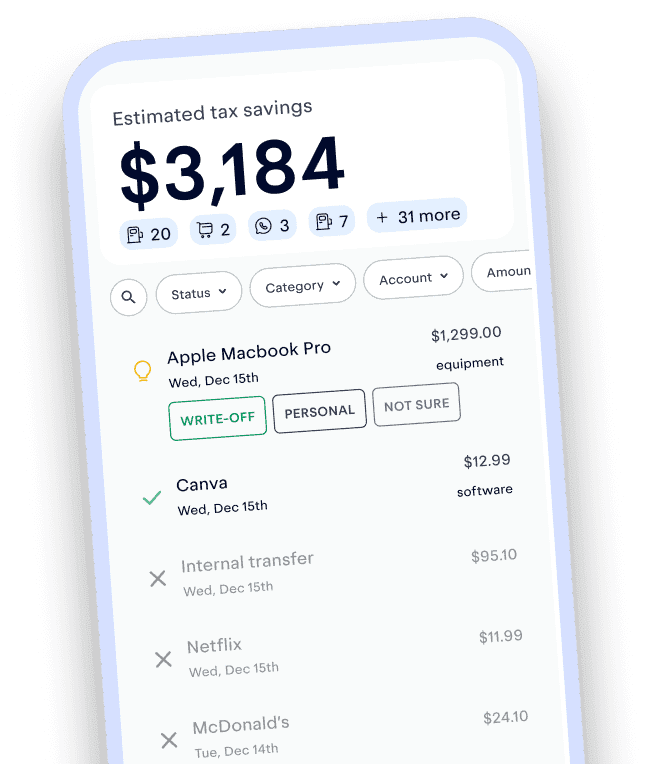
Keeper connects to your bank and cards, finds write-offs like platform fees and software automatically, and files your taxes with all of it included.
Track and claim every eligible deduction with Keeper
Keeper scans your accounts for write-offs and files your return — with tax pros reviewing every one.
Try it freeFAQ
For beginners, Gumroad, Payhip, and Lemon Squeezy are the easiest starting points because they have no monthly fee and handle sales tax for you. Etsy is best if you want built-in buyers for printables and patterns. Stan Store suits creators selling from social media. Kajabi and Teachable make sense once you're selling a full course and earning enough to cover a monthly plan.
Gumroad, Payhip, Lemon Squeezy, and the Notion Marketplace have no monthly fee. They take a percentage of each sale instead. Etsy has no monthly fee but charges $0.20 per listing plus transaction and processing fees.
You can start for close to nothing using free tools like Canva, Google Sheets, or Notion and a free platform like Gumroad or Payhip. Your main costs are per-sale fees, which range from about 3% to 30% of each sale depending on where you sell.
No. You can sell as a sole proprietor and report income on Schedule C of your personal tax return. An LLC can add liability protection, but it isn't required to sell or to deduct business expenses. Not sure whether an LLC is right for you? With Keeper, you can talk it through with a tax pro, and set one up.
It depends on your platform and your buyers' states. Platforms that act as the merchant of record or a marketplace facilitator, like Gumroad, Etsy, Lemon Squeezy, Payhip, and Skool, collect and pay US sales tax for you. If you sell through Stan, Kajabi, or your own checkout, you may need to collect it in states that tax digital products.
Most platforms pay out to your bank account through Stripe or PayPal, either automatically on a schedule or when you request it. Gumroad now requires a $100 minimum balance before it pays out (Gumroad).
Fees and platform policies were checked against official pages on October 8, 2026, and change often. Keeper has no affiliate relationship with any platform mentioned. This article is for general education and isn't tax advice.

Krislyn is Chief Growth Officer at Keeper. At Keeper, she strives to make expert-level tax strategies that used to require a traditional CPA accessible to all. Prior to Keeper, she was at Curology, where she helped bring custom, prescription-grade skincare out of the dermatologist's office to millions of faces.
View full bio8 sources
- Report: Stan Business Breakdown & Founding Story · research.contrary.com
- Partners in Conversation: Powering Creators, Building for the Long Game · spectrumequity.com
- App used by millions to double its subscription price overnight · newsweek.com
- Flexible Pricing Plans for Every Stage of Your Creator Business · kit.com
- Pricing · beehiiv.com
- Self-employment tax (Social Security and Medicare taxes) · irs.gov
- IRS issues FAQs on Form 1099-K threshold under the One, Big, Beautiful Bill; dollar limit reverts to $20,000 · irs.gov
- Getting paid by Gumroad · gumroad.com
This article is for informational purposes only and isn’t tax, legal, or financial advice. Tax rules change and depend on your situation, so talk to a tax professional about yours.