





Key takeaways
TikTok Shop income is taxable whether or not you receive a 1099-K.
For 2025 onward, TikTok Shop issues a Form 1099-K once you pass $20,000 in sales and 200 transactions, but several states set their thresholds far lower (as little as $600), so be sure to check state-specific requirements.
You'll owe income tax plus 15.3% self-employment tax on your profit, so a good rule of thumb is to set aside 25–30% of what you earn.
TikTok collects and remits sales tax for you in most states (because of its role as a "marketplace facilitator"), so most sellers don't file sales tax on TikTok Shop sales.
Are you a TikTok Shop seller or an affiliate?
Sellers: you list and sell your own products. This guide is for you.
Affiliates / creators: you earn commissions promoting other people's products, and often receive free samples. Your forms and write-offs are different, so read our guide to TikTok Shop affiliate taxes instead.
If you sell on TikTok Shop, the money you make is taxable income. Let's break it down.
Do you have to pay taxes on TikTok Shop income?
Yes. If you make money on TikTok Shop, it's all taxable income. The IRS treats money you earn selling products as self-employment income.
I didn't get a 1099-K. Do I still owe taxes? The 1099-K is just a report of your payments. Whether or not you get one, you're still legally required to report the income you earned. So if you didn't get a 1099-K, you'll have to reconstruct how much you earned and pay taxes on it!
What if I'm doing TikTok Shop as a hobby? If you're selling with the intent to make a profit, the IRS considers it a business, and business income is taxable. Hobby income is also taxable, but hobbies can't deduct expenses. If you need help differentiating between a "hobby" and "business", check out Keeper's guide.
What about affiliate commissions and free samples? Those are taxable too, but they work differently from sales. See our TikTok Shop affiliate tax guide.
Keeper pro tip: The moment TikTok Shop stops being "fun money" and starts being income you'd miss, treat it like a business. Open a separate bank account and start tracking expenses. Deducting your business expenses is the single biggest lever you have to lower your taxable income.
What tax forms does TikTok Shop send?
TikTok Shop primarily issues one form to US sellers: Form 1099-K.
Form | Who gets it | What it reports | When |
|---|---|---|---|
1099-K | Sellers earning more than $20,000 in gross sales, and more than 200 transactions | Gross payment volume processed through TikTok Shop | By Jan 31 of the following year |
W-9 | You complete this for TikTok | Your name + TIN (SSN or EIN) so TikTok can report correctly | At signup / when info changes |
You'll find your 1099-K in Seller Center → Finances → Tax.
Over 1M Americans trust Keeper for their complex taxes
The #1 tax app for freelancers, gig workers, and self-employed filers.
Get started free

The 2026 1099-K threshold
For the 2025 tax year onward, the federal 1099-K threshold is more than $20,000 in gross sales AND more than 200 transactions. However, there are 2 big caveats to this threshold:
Some states require a 1099-K at much lower amounts. States like Maryland, Massachusetts, Vermont, Virginia, and Illinois have thresholds as low as $600–$1,000. If you live in one, you should expect to get a 1099-K!
You still owe taxes even if you didn't meet the threshold or didn't get a 1099-K. Even though the threshold is $20,000 and 200 transactions, if you made $8,000 and never get a 1099-K, that $8,000 is still taxable!
Your 1099-K won't match your payouts, and here's why
Most people realize the number on their 1099-K is almost always higher than the cash that actually hits their bank account.
That's because the 1099-K reports Unadjusted Gross Sales (UGS) - product price plus shipping fees, minus only your discounts. It excludes refunds, TikTok's platform fees, commissions, shipping subsidies, and timing differences.
Practically, that means if you simply report the 1099-K number as your income, you'll overstate your revenue and overpay in taxes.
Keeper pro tip: Make sure to pull your 1099-K detailed report (or Orders/Settlement report) from Seller Center and reconcile it before filing!
Why did TikTok withhold 24% of my payments?
When you set up TikTok Shop, you're asked to provide tax info (a W-9 with your SSN or EIN). If you don't, TikTok is required to withhold 24% of your payments (what's called a "backup withholding"), and you may lose the ability to sell. 😱 To add your tax info, go to Account Settings → Tax.
Does TikTok Shop collect and remit sales tax?
Yes, in almost all states, TikTok Shop automatically collects and remits sales tax on your behalf.
Under state "marketplace facilitator" laws, the platform (not the individual seller) is responsible for collecting and paying sales tax on sales made through it. That covers all 45 states (plus DC) that levy sales tax.
As a seller, that means:
You generally don't need to collect or file sales tax on your TikTok Shop sales.
But you may still have obligations if you sell on other channels (your own store, in person), or if you have physical nexus (e.g., inventory stored in a state).
Why is TikTok Shop charging higher sales tax?
Sales tax is destination-based. It's calculated on your buyer's location, and many areas stack state, county, and city rates. So the rate varies order to order!
Keeper pro tip: Sales tax and income tax are totally separate. TikTok remitting sales tax does nothing for your income tax. You still owe income plus self-employment tax on your profit.
How much tax will I owe from TikTok Shop sales?
You owe two things on your profit (income minus expenses):
Self-employment (SE) tax: 15.3% (12.4% Social Security plus 2.9% Medicare). This is on top of income tax and catches most first-timers off guard.
Income tax: at your marginal rate, which depends on your total household income.
Let's see an example: Maria sells phone accessories on TikTok Shop and nets $30,000 in profit in 2026.
Step | Amount |
|---|---|
Net profit | $30,000 |
SE tax (15.3% × 92.35% of profit) | ≈ $4,239 |
Deduction for ½ of SE tax | –$2,120 |
Taxable income (before other deductions) | ≈ $27,880 |
Federal income tax (single, ~10–12% effective) | ≈ $3,100 |
Rough total federal tax | ≈ $7,300 |
That's why the rule of thumb is to set aside 25–30% of your profit for taxes. (Use Keeper's free 1099 tax calculator to plug in your own numbers.)
Quarterly estimated taxes: If you expect to owe $1,000 or more for the year, the IRS expects you to pay in four quarterly installments throughout the year. If you miss them, you could end up owing an underpayment penalty! Here's how quarterly taxes work.
To estimate how much you should pay in quarterly taxes, use Keeper's free quarterly tax calculator.
Quarter | Income Period | Due Date |
|---|---|---|
Q1 | Jan 1 - Mar 31 | April 15 |
Q2 | Apr 1 - May 31 | June 15 |
Q3 | Jun 1 - Aug 31 | September 15 |
Q4 | Sep 1 - Dec 31 | January 15 |
What can you write off on TikTok Shop?
If you sell on TikTok Shop, you can write off "ordinary and necessary" business expenses to lower your taxable income. Common tax write-offs for online sellers include:
Category | Examples |
|---|---|
💰 Cost of goods sold (COGS) | What you paid for the inventory you sold |
💸 TikTok fees | Platform commission, transaction/affiliate fees, TikTok Ads spend |
📦 Shipping & packaging | Postage, boxes, mailers, labels, tape |
🎁 Product samples | Items you buy to demo or create content with |
🎥 Content gear | Ring light, phone/camera, tripod, mic, backdrops, props |
💻 Software & subscriptions | Design tools, bookkeeping apps, scheduling tools |
🏡 Home office | A portion of rent/utilities if you have a dedicated workspace |
📱 Phone & internet | The business-use percentage |
🚗 Mileage | Trips to the post office, suppliers, pop-ups |
🧾 Professional fees | Accountant, tax software, business license |
Keeper pro tip: The write-offs people miss most are home office, the business-use percentage of their phone bill, and mileage!
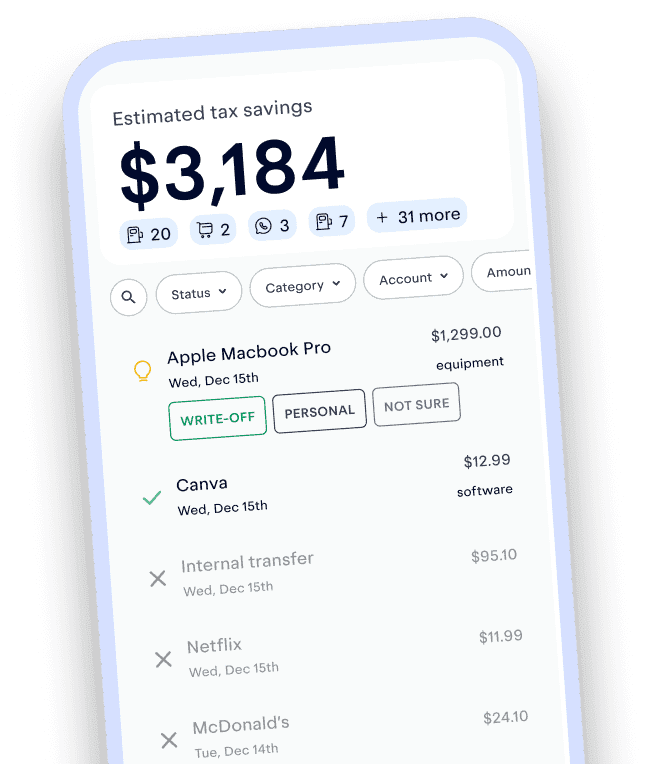
Track and claim every eligible deduction with Keeper
Keeper scans your accounts for write-offs and files your return — with tax pros reviewing every one.
Try it freeWhat about free samples and affiliate commissions?
If you also promote other sellers' products as an affiliate, your commissions are self-employment income and any free samples you keep count as income at their fair market value. Affiliates are paid on a different form than sellers, so we cover the details, including how to offset sample income with write-offs, in our TikTok Shop affiliate tax guide.
How to file your TikTok Shop taxes: step by step
Get your tax documents ready. Your 1099-K (Seller Center → Finances → Tax) and your 1099-K detailed / Settlement report for reconciliation.
Total your real gross income. Start from UGS, then reconcile out refunds and fees to get your true revenue.
Add up your deductions. If you haven't been tracking them consistently, get an app like Keeper, which links to your accounts and cards to automatically track and categorize your business expenses.
Fill out Schedule C (Profit or Loss From Business). Revenue minus expenses = your net profit.
Calculate self-employment tax on Schedule SE (15.3% of net profit).
Report it on your Form 1040, along with any W-2 or other income.
Pay quarterly taxes if you expect to owe $1,000 or more.
Tax tips for TikTok sellers, from a CPA
Reconcile the 1099-K. The UGS figure is likely inflated, so make sure to file off your actual revenue.
Treat inventory correctly. Most small sellers can deduct inventory as "non-incidental materials and supplies" rather than tracking complex inventory accounting. This is often simpler and better.
Consider separating business banking. A dedicated account can make bookkeeping easier on you.
Consider an S-Corp. Once your profit is consistently high (roughly $60K-$80K or more), an S-corp election can reduce your self-employment tax. (See how much an S-Corp could save you in taxes with Keeper's free S-Corp tax savings calculator.)
Watch out-of-state inventory nexus. If a fulfillment service stores your inventory in other states, you may create sales tax nexus there even though TikTok collects and remits sales tax on your behalf.
Don't forget the QBI deduction. Many self-employed sellers qualify to deduct an extra 20% of qualified business income.
FAQs
Yes. If you pass the reporting threshold of $20,000 in gross sales and 200 transactions, TikTok files your 1099-K with the IRS as well as sending it to you. Either way, your income is reportable.
Nope! You can operate as a sole proprietor using your SSN. Many sellers get an EIN (free from the IRS) to avoid sharing their SSN, and some form an LLC for liability reasons, but neither is required to start. Read more here before you decide on setting up an LLC.
For most individuals, your Taxpayer Identification Number (TIN) is your SSN; for a business it's your EIN. TikTok needs it on your W-9 to report your payments. If you don't report it, TikTok could automatically withhold 24% of your payments.
Yes, but usually a 1099-NEC rather than the 1099-K sellers receive, because commissions are nonemployee compensation. Free samples count as income too. See our TikTok Shop affiliate tax guide for thresholds and write-offs.
Yes. The $20,000 / 200-transaction figure only decides whether you receive a 1099-K. It does not decide whether you owe tax. All your net earnings are taxable.
TikTok Shop taxes come down to one idea: it's self-employment income, so you owe income plus self-employment tax on your profit, but every business expense lowers that profit. Keeper's app and licensed tax pros can track your write-offs automatically, reconcile your 1099-K, and handle quarterly payments so you're never caught off guard.

Krislyn is Chief Growth Officer at Keeper. At Keeper, she strives to make expert-level tax strategies that used to require a traditional CPA accessible to all. Prior to Keeper, she was at Curology, where she helped bring custom, prescription-grade skincare out of the dermatologist's office to millions of faces.
View full bio
a tax professional
This content has been reviewed by an Enrolled Agent (EA) with the IRS — the highest credential awarded by the agency. Enrolled Agents are empowered to represent all taxpayers before the IRS, on all types of tax-related matters. Accountants who earn this certification have passed a comprehensive three-part exam on individual and business tax returns. To maintain EA status, they must stay up to date in the field by completing 72 hours of continuing education every three years.
View full bioKeeper’s tax guides are built on primary sources: the tax code, IRS forms, instructions and publications, and state tax agency guidance. We link to external sources where appropriate and check figures against the tax year they apply to. This article was peer reviewed by a licensed tax professional (CPA or EA).
This article is for informational purposes only and isn’t tax, legal, or financial advice. Tax rules change and depend on your situation, so talk to a tax professional about yours.